


Frequently asked questions
Setup and targeting
How often are targeting rules and signatures synced?
Signitic automatically syncs all data every day, including newly activated campaigns, signature changes, employee information updated from your directory, and new targeting rules. This ensures that every employee always uses the latest version of their signature, with no manual action required. For urgent needs, such as launching an emergency campaign, you can also trigger a manual sync from the admin interface.
How long does it take to create a signature with Signitic?
With Signitic, you can create and configure a professional email signature in two minutes, with no technical skills required.
How do I assign an email signature to an employee or team?
Signatures are assigned entirely from Signitic’s centralized interface, so employees do not need to do anything. Once you have created a signature template, simply assign it to a user, a group, or an entire business unit, such as a department, subsidiary, or brand. Signitic syncs with Microsoft 365/Entra ID or Google Workspace to retrieve your employee directory and data automatically. You can also assign multiple signatures to the same employee for different contexts or brands.
How can I target the right recipients with an email signature campaign?
Signitic offers several targeting options so each campaign reaches the right audience. You can target internal or external recipients, recipient domains, HubSpot segments, or groups of senders such as a team, department, or subsidiary. For example, you can show a recruiting campaign only in emails sent by HR, or display a sales offer exclusively to external contacts in a specific industry.
Platform and features
Which business email and CRM platforms does Signitic support?
Signitic integrates with Outlook Exchange, Microsoft 365, Gmail, Google Workspace, and Apple Mail across PC, Mac, and mobile devices. It also supports other email platforms, including Notion Mail, Airmail, and Spark; CRMs such as HubSpot and Pipedrive; and support or automation tools such as Front, Help Scout, and Lemlist.
How do I assign an email signature to an employee or team?
Signatures are assigned entirely from Signitic’s centralized interface, so employees do not need to do anything. Once you have created a signature template, simply assign it to a user, a group, or an entire business unit, such as a department, subsidiary, or brand. Signitic syncs with Microsoft 365/Entra ID or Google Workspace to retrieve your employee directory and data automatically. You can also assign multiple signatures to the same employee for different contexts or brands.
How does domain targeting work in Signitic?
Domain targeting lets you tailor signature content to the recipient’s email domain. You can configure a specific banner for every email sent to contacts at a particular company or display a personalized message for strategic accounts. This is especially useful for sales teams working with key accounts: every email can include a tailored message with no extra effort from the sender.
How many users can I manage with Signitic’s free plan?
Signitic’s free plan supports up to 19 users.
How long does it take to create a signature with Signitic?
With Signitic, you can create and configure a professional email signature in two minutes, with no technical skills required.
Plans and pricing
How many users can I manage with Signitic’s free plan?
Signitic’s free plan supports up to 19 users.
Access everything
you need
Connect Signitic
to your favorite tools
Stay up-to-date with news and tips for your emails
Get help quickly
Access our dedicated English-speaking support to resolve your technical issues and signature-related questions without delay.
Deepen your knowledge
Download comprehensive guides to master signature creation, campaign deployment, and email optimization.
Learn how to make the most of your email signatures
Follow our detailed tutorials to set up your signatures, create effective campaigns, and leverage all of Signitic's features.
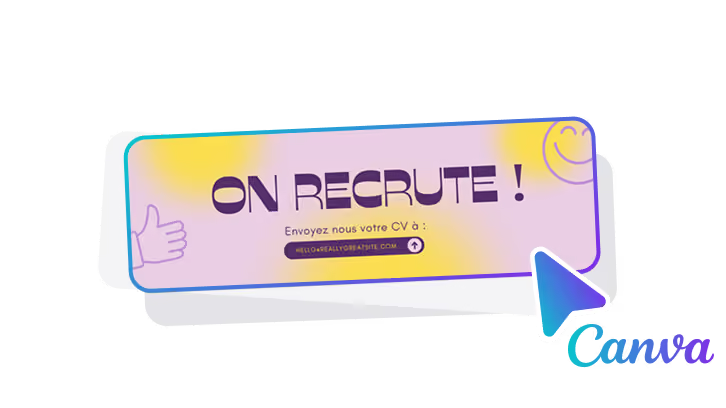
Download our Canva banner templates
Access our library of ready-to-use banner templates to enhance your signatures.
69003 Lyon
France